To send a Set Password link to your contact in Zuriey CRM, follow these steps:
1. When Creating a New Contact
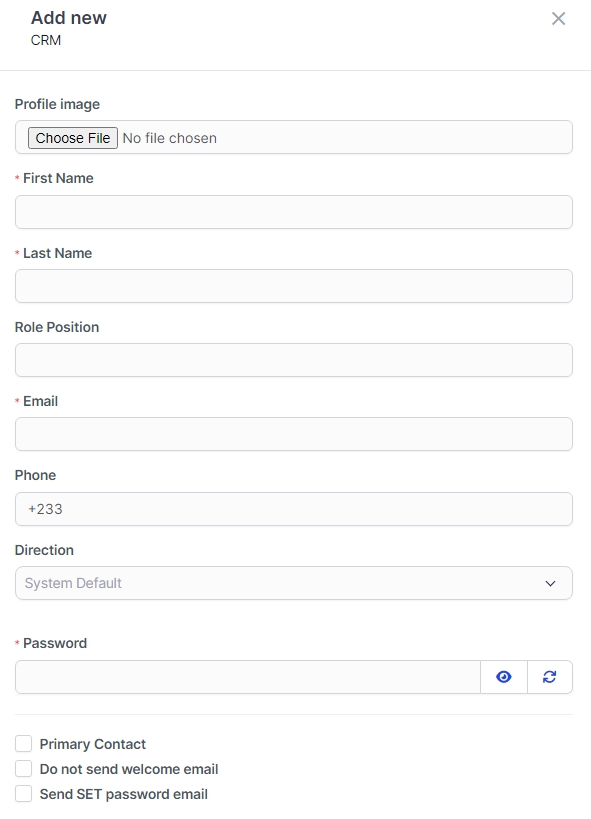
- While adding a new contact, simply check the box labeled Send Set Password Link and leave the password field blank.
- Once the contact is created, an email containing the set password link will be automatically sent to the contact.
2. When the Contact is Already Created
- For existing contacts, just check the Send Set Password Link box and click Save. An email with the password link will be dispatched to the contact.
Note: The set password link will expire after 48 hours, so ensure your contacts act promptly.
Important Requirement
Make sure you have configured your email SMTP settings in order to utilize this feature effectively. This ensures that emails are sent successfully to your contacts.